
A closer look.
A clearer next step.
Practical help for your Rexing M1S digital monocular—from your first outdoor check to saving a useful photo or video.
Start with a quick check →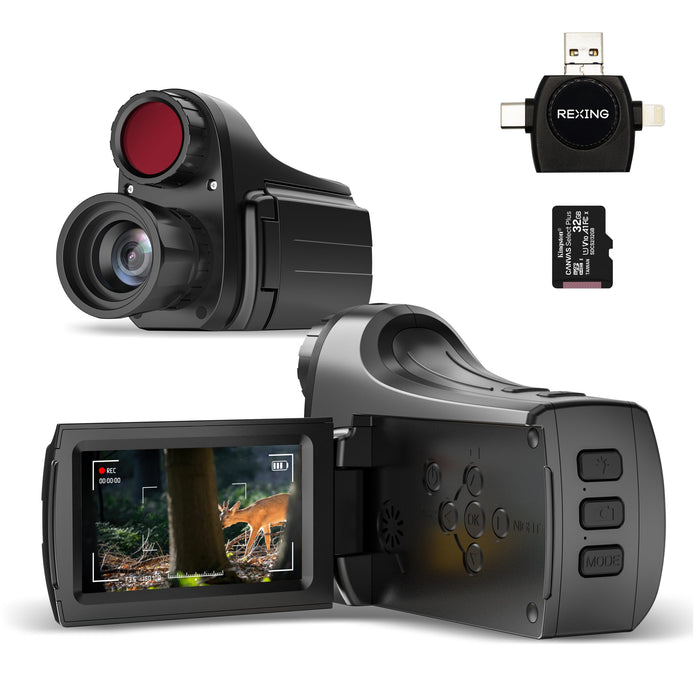
Start close.
Test before the trip.
A short test at home is easier to repeat than a missed moment outdoors.
Prepare the battery.
Charge using the instructions supplied with your unit. Check the cable connection and battery indication before you leave.
Choose an easy subject.
Begin in daylight with a stationary subject. Keep the device steady and start at low zoom so you can compare the image clearly.
Review a test capture.
Take a short video and a photo, then review them. Confirm that the saved result is usable before relying on the device during a trip.
One variable at a time.
Keep the same subject while changing your viewing conditions. It makes the result easier to compare.
Rest your hands or the device on a stable surface. Movement becomes more noticeable when the subject appears larger.
M1S offers up to 8× digital zoom. Zoom enlarges the image; it cannot restore detail lost to movement or poor lighting.
Inspect for fingerprints, dust or condensation. Use gentle lens care rather than abrasive material.
Compare daylight and darkness.
- Check in daylight first.Use a nearby, still subject to establish a clear starting point.
- Try infrared night viewing.Follow the IR controls in your M1S instructions and compare the same scene.
- Change position if the view is washed out.Nearby obstacles or reflections can interfere with the view. Test from an unobstructed position.
The live view is only the start.
Check the saved result.
M1S supports photos, video and on-device playback. Review a test capture after recording and check its duration and image quality.
Capture → Review → Keep a copyPreserve important files.
Back up useful captures before deleting files or changing storage settings. Keep an original sample if you need help with a recording problem.
Save before troubleshootingPrepare for
the conditions.
M1S has a 4000mAh rechargeable battery. Plan your outing around your own tested runtime.
If runtime is shorter than expected.
Note the charge state, session length, IR use and recording activity. Share those details with support so the issue can be assessed with the right context.
After your trip.
Keep the lens clean, protect the device during transport and follow the supplied care instructions. Confirm the M1S protection rating with support before using it in wet conditions.
A useful detail.
A faster next step.
Include a photo of the model label and a short description of when the issue occurs.
Where can I get the M1S user manual?
Use “Request the M1S manual” below. Include a photo of the model label so support can send the correct instructions for your unit.
Why is the image blurry?
Try a nearby stationary subject in daylight, reduce zoom, steady the device and inspect the lens. Tell support whether the live view, saved captures or both appear blurry.
Why does the image look different at night?
Infrared illumination changes how a scene appears. Compare a still subject with a clear line of sight and report the lighting conditions, approximate distance and settings you used.
Why did my photo or video not save?
Keep the original files and note any storage or recording message on screen. Ask support to confirm the storage requirements for M1S before formatting or replacing storage.
Can I use instructions for M1 or M1 Pro?
No. Those are different products. Use the complete M1S Monocular model name when requesting manuals or assistance.
What should I send for a power problem?
Include the model label, charging cable and power-source details, battery indication and whether the problem happens during charging or use. Note any error or unusual behavior.
Your M1S support desk.
Need a second look?
Share the model label, a sample capture and the conditions where the issue occurs.