
Rexing BCCA1 baby car camera and receiver with live baby view alongside Apple CarPlay on a vehicle display
Wireless Apple CarPlay, Android Auto and live baby monitoring on the vehicle display
BCCA1 setup: mount camera, connect receiver to vehicle USB, and pair phone using Bluetooth and Wi-Fi
Rexing BCCA1 displays a live baby camera view on the existing compatible vehicle screen
BCCA1 baby camera full-screen, picture-in-picture, split-screen, and wireless CarPlay and Android Auto views
BCCA1 invisible infrared night vision without a visible red glow
BCCA1 1080p Full HD baby camera views during daytime and at night
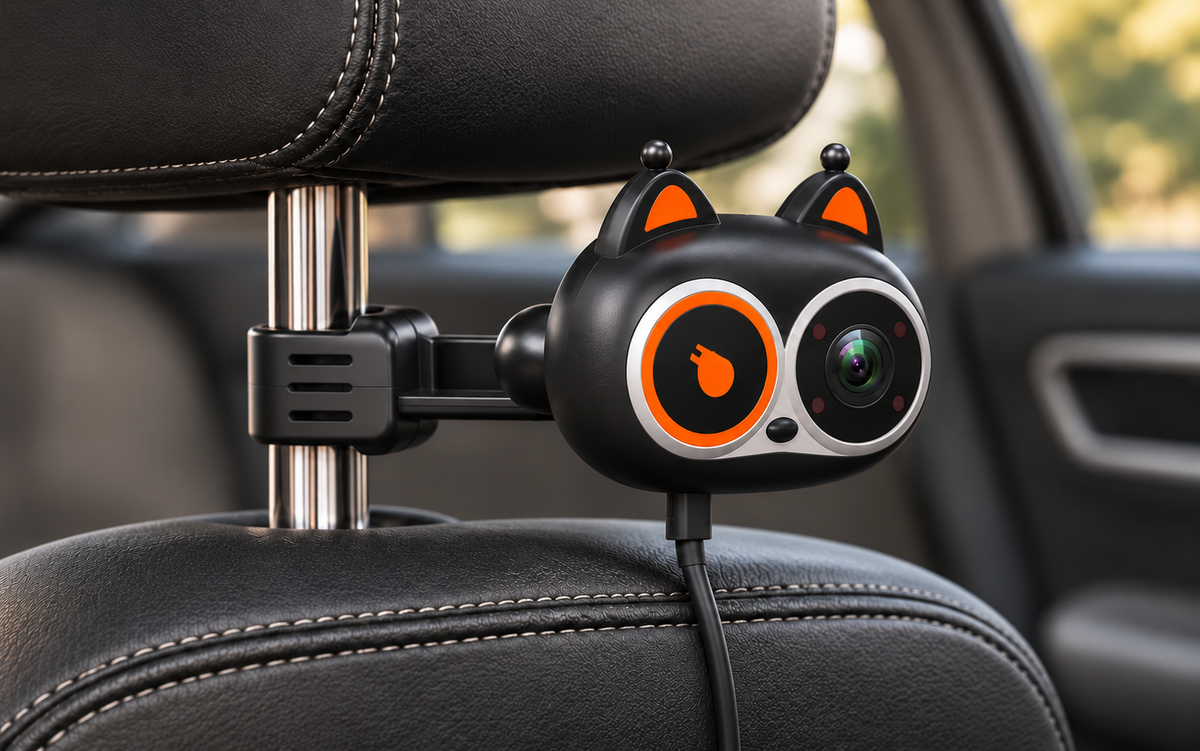
BCCA1 strap and snap-on mounting options for rear-facing and forward-facing car seats
BCCA1 compatibility: factory wired Apple CarPlay or Android Auto, compatible iPhone and Android; excludes Tesla and BMW
BCCA1 package contents including baby camera, receiver, mounts, cable, USB adapter, straps, and guides

Rexing BCCA1 Baby Car Camera for Your Car’s Screen + Wireless CarPlay & Android Auto

  • See your baby on your car’s screen: The BCCA1 baby camera sends a live view to your compatible vehicle’s existing display. No separate baby monitor screen is needed.
  • Camera to receiver by Wi-Fi: Power the mounted camera with its USB cable. Plug the receiver into your car’s compatible USB data port, then pair the camera with the receiver over Wi-Fi. The live baby view appears on your car screen.
  • Make CarPlay or Android Auto wireless: Pair your compatible iPhone or Android phone with the receiver using Bluetooth and Wi-Fi. Use supported navigation, music and calling features through wireless Apple CarPlay or Android Auto.
  • Choose how the baby view appears: Open the camera view full screen, keep it in a picture-in-picture window, or show it beside CarPlay or Android Auto in split screen.
  • 1080p video with infrared night vision: See your baby in daylight and low light. Infrared night vision automatically switches the camera view to black and white in darkness.
  • Mount for your car-seat setup: Use the strap or snap-on mount to position the camera for a rear-facing or forward-facing car seat.
  • Check compatibility before you buy: Requires a compatible vehicle with factory-installed wired Apple CarPlay or Android Auto. Not compatible with Tesla or BMW. A USB port alone does not establish compatibility.

REXING BCCA1

Your back seat.
On your car’s screen.

A live baby camera and wireless CarPlay or Android Auto receiver for your compatible car’s existing display.

Vehicle dashboard display showing normal Apple CarPlay on the left and live baby camera video on the right
  • Live viewOn your existing display
  • 1080pFull HD camera
  • 138°Diagonal field of view
  • WirelessCarPlay & Android Auto

YOUR EXISTING DISPLAY

A familiar screen.
A new way to check in.

See the back seat live on your compatible car’s screen, alongside your phone features. Choose split screen, picture in picture or a full camera view. There’s no separate baby monitor display to add to your dashboard.

Rear-seat viewpoint looking forward at both front seatbacks, with BCCA1 mounted on the passenger headrest and CarPlay beside live baby video on the dashboard
  • Split screen
  • Picture in picture
  • Full camera view

CAMERA + RECEIVER

Two pieces.
One connected drive.

The baby camera watches the back seat. The USB receiver brings that live view and wireless phone connectivity to your compatible car’s existing display.

Rexing BCCA1 baby camera and USB receiver in a clean white studio setting

WIRELESS CONNECTION

Your phone.
A little more freedom.

Use wireless Apple CarPlay with a compatible iPhone, or wireless Android Auto with a compatible Android phone. Calls, music and navigation stay on your car’s existing screen.

Smartphone and Rexing BCCA1 USB receiver in a minimalist studio setting for wireless phone connectivity

Your familiar controls.

Access CarPlay or Android Auto through your vehicle’s supported controls.

A different phone. The same connection.

Switch between compatible paired phones for wireless CarPlay or Android Auto.

Close-up of the BCCA1 optical lens and infrared lights on the right side of its figure-eight camera face

A CLOSER LOOK

More detail.
A wider view.

1080p Full HD video and a 138° diagonal field of view bring your child’s seat into view. Adjust the camera to find the right position.

1080p
Full HD video
138°
Diagonal field of view

INFRARED NIGHT VISION

Made for daylight.
Ready for dark.

When the light fades, the camera switches to a black-and-white infrared view. See the back seat without a visible red glow.

Vehicle dashboard screen with normal color CarPlay on the left and monochrome infrared baby camera video on the right

REXING BCCA1

Camera. Receiver. Phone.

One receiver connects your camera and phone separately. Here’s how the pieces work together.

Baby camera
USB receiver
Your phone
  1. Power the camera.

    Mount the camera and connect it to USB power. The camera sends its live view to the receiver over Wi-Fi.

  2. Connect the receiver.

    Plug the receiver into your compatible vehicle’s USB data port. A charge-only port is not enough.

  3. Pair your phone.

    Start pairing with Bluetooth, then use Wi-Fi for wireless CarPlay or Android Auto. This connection is separate from the camera’s video connection.

Actual BCCA1 receiver inserted into a vehicle USB data port

Wireless video. USB power. The camera still needs its power cable.

Set the angle.
Choose the mount.

Position the camera for a rear-facing or forward-facing child seat. Choose the included snap-on mount or strap mount to suit your headrest.

Detailed Rexing BCCA1 snap-on headrest rod mounting installation

Snap-on mount

Secure the mount to the headrest rods, then position the camera for your child’s seat.
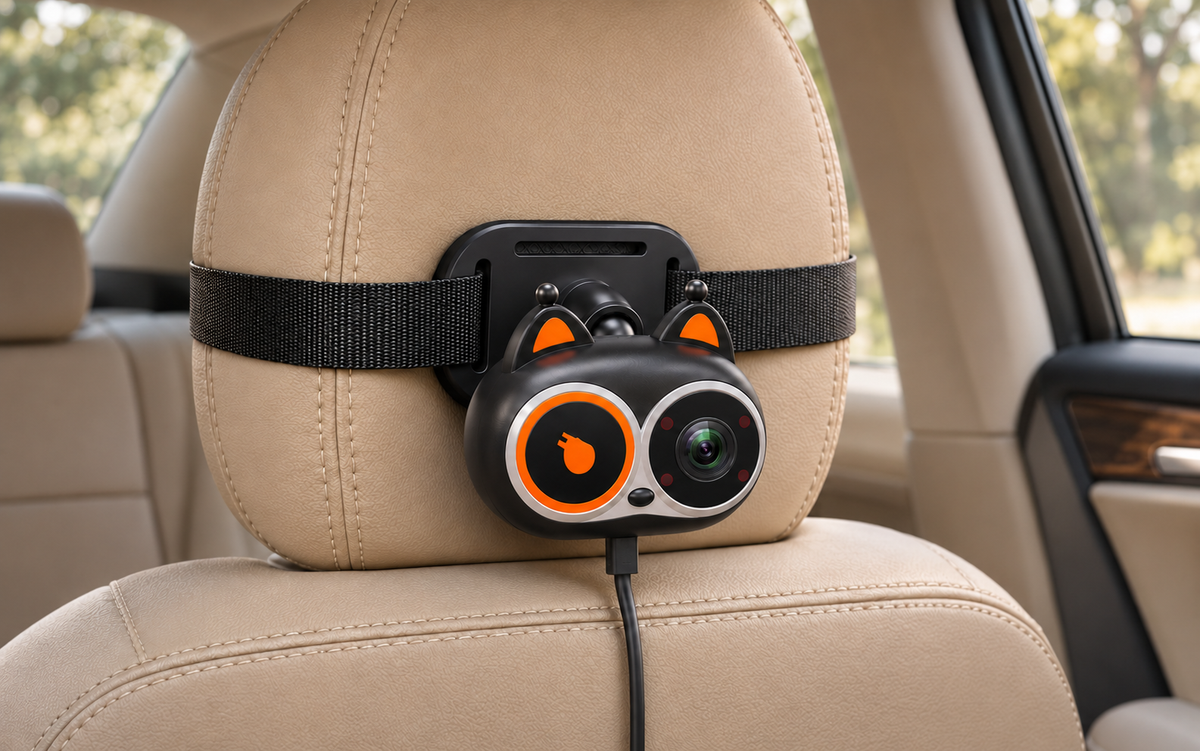
Detailed Rexing BCCA1 strap mounting around a car headrest

Strap mount

Attach the strap around the headrest and adjust the camera’s viewing angle.

LIVE VIEW, SIMPLY

Live.
Just live.

A real-time view of your family. No recording. No cloud uploads.

Straight rearward view from between the front seats toward two safely harnessed children on the rear bench

REXING BCCA1 / QUESTIONS

Questions about BCCA1

Do I need a separate monitor?

No. BCCA1 displays the live camera view on your compatible vehicle’s existing screen.

Can I see the camera while using CarPlay or Android Auto?

BCCA1 supports picture-in-picture and split-screen viewing, as well as a full baby camera view.

Does the camera need a cable?

The camera sends its live view to the receiver over Wi-Fi and still needs USB power. The receiver plugs into your compatible vehicle’s USB data port.

Can I order BCCA1 now?

BCCA1 is currently out of stock and unavailable for purchase.