
Smart power.
Clear wiring.
Identify your kit, understand the three connections and follow the correct installation guide.
Download Smart Hardwire Kit manual ↗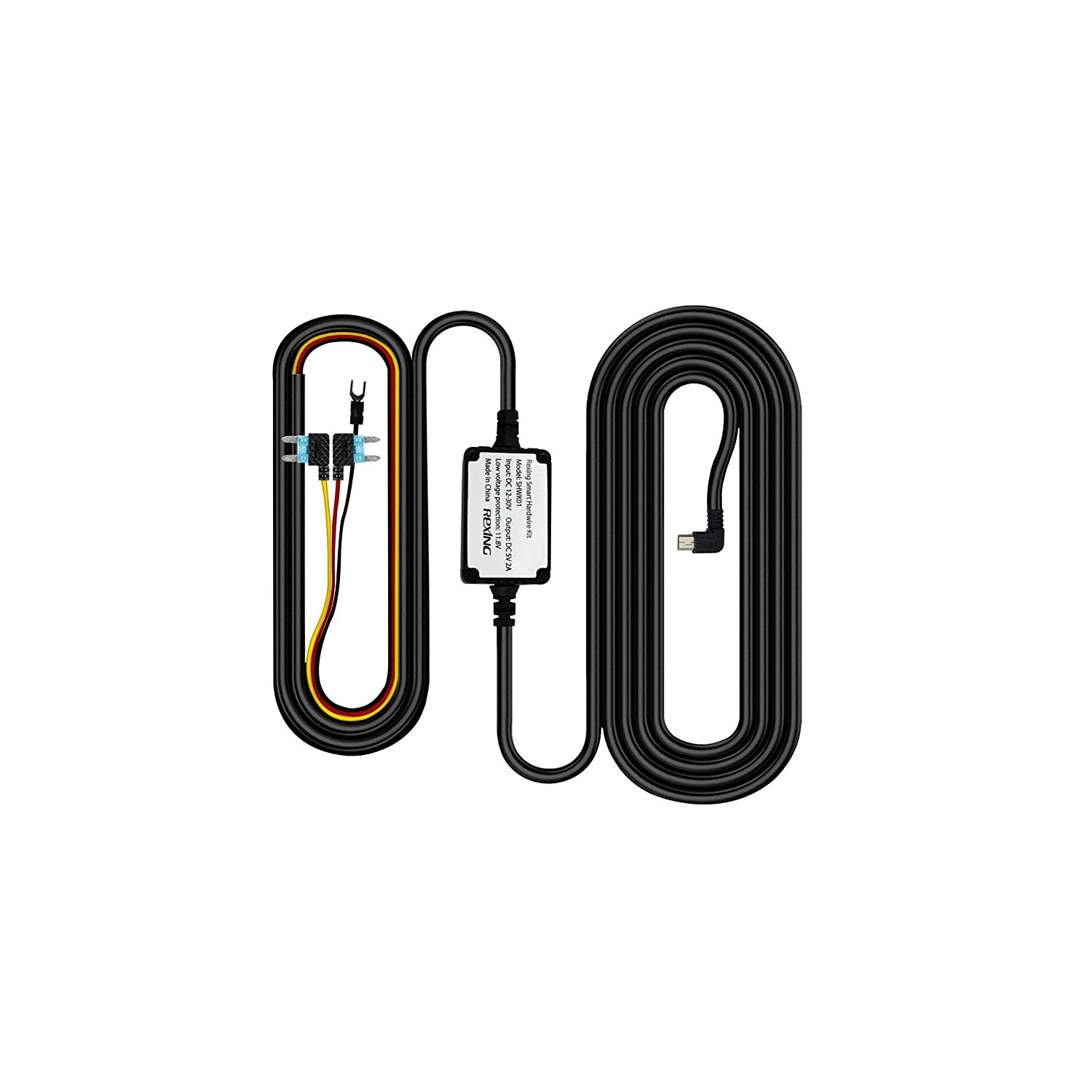
Start with the exact kit.
Check the connector
The 2019 guide linked here illustrates a Mini-USB Smart Hardwire Kit with 5V / 1.5A output. It is not a universal guide for every USB-C, OBD or Intelligent kit.
Match your camera
This guide identifies Rexing V1 and V1P compatibility. Confirm the complete camera model, power connector and kit part number before installation.
Use the correct fuse setup
Check the vehicle’s fuse information and use a circuit tester to distinguish ignition-switched power from constant power. If you are unsure, use a qualified installer.
Three wires. Three distinct jobs.
Red · ACC
For the kit pictured in this guide, connect the red wire to an ignition-switched fuse: power comes on with the ignition and turns off when the ignition is off.
Yellow · Constant power
Connect the yellow wire to a constant, always-powered fuse. Confirm the circuit remains powered with the ignition off.
Black · Ground
Connect the black ground lead to a suitable metal grounding point in the vehicle. The guide states not to attach it to plastic.
See the installation steps.
Intelligent & Smart kits
Watch the official Rexing installation overview on YouTube ↗
Smart Hardwire Kit installation
Watch the official Smart kit walkthrough on YouTube ↗
Keep the diagram nearby
Open the two-page wiring and installation guide ↗
Check the power path.
The camera does not turn on
Check the exact kit’s connector, fuse connections and ground. Have the installer test the supply instead of changing fuse positions at random.
Parking mode stops working
The camera requires power to record. If your kit has low-voltage protection and cuts the supply, parking recording also stops. Follow that kit’s documented threshold and recovery instructions; this older guide does not specify a cutoff voltage.
Will this guide work with my USB-C camera?
The linked guide illustrates a Mini-USB kit for V1 and V1P. Confirm your model and the correct kit with Rexing; do not infer compatibility from a similar camera name.
Send the right details
When requesting help, include the camera model, kit part number, connector type and clear photos of the wiring labels.
The right guide for your Smart Hardwire Kit.
Smart Hardwire Kit manual
Mini-USB wiring diagram
2019 guide · PDF ↗
Warranty information
Review warranty and return information →
Find another model
Search all product support →
Still need a hand?
Contact Rexing with your Smart Hardwire Kit model and a photo of the issue.