
STEP 01
Mount & connect
Clean and dry the windshield and suction cup, then secure the mount. Connect the rear-camera cable to the dedicated rear-camera port. Position the lenses and route cables clear of airbags and your view of the road.
Panier
Votre panier est vide
Get your C4 ready for the road. Find setup steps, Wi-Fi help, parking protection, and the right answers for your camera.
Download C4 manual ↗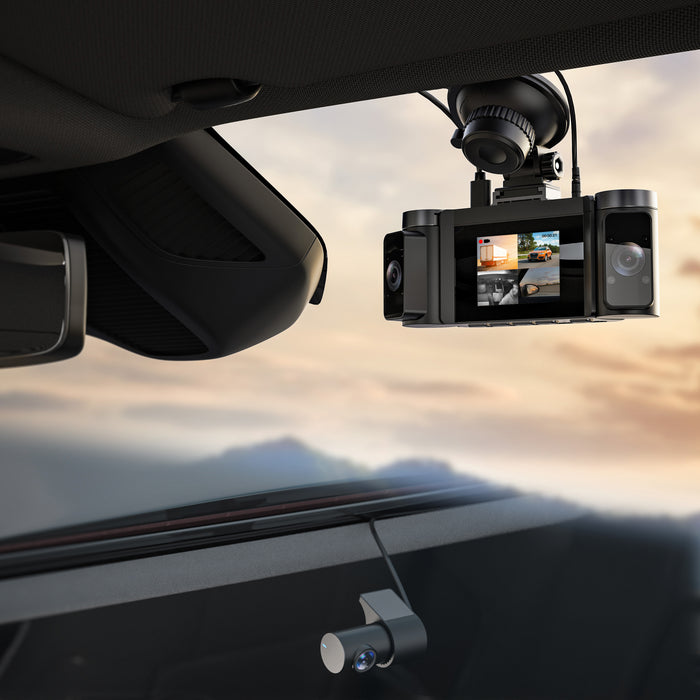
Set up the camera while parked. Check all four views before heading out.
Clean and dry the windshield and suction cup, then secure the mount. Connect the rear-camera cable to the dedicated rear-camera port. Position the lenses and route cables clear of airbags and your view of the road.
With the camera off, insert the microSD card. Connect the supplied car charger to the vehicle's 12V socket and the C4's Type-C power port. The camera starts recording when powered.
Back up any files first. Stop recording, then press MENU twice to enter Setup. Use UP/DOWN to select Format, then OK to confirm. Formatting erases every file, including locked videos.
C4 uses separate navigation, menu, and confirmation buttons. Use the printed labels on your camera and the C4 manual's button diagram.
Open the button diagram ↗Use the power button for power and screen control. A dark display does not necessarily mean the camera has stopped recording.
Press MENU twice after stopping recording to enter Setup. Hold MENU to enter Playback, use UP/DOWN to select a video, and press OK to play or pause.
Hold OK to turn on Wi-Fi. Hold OK for about 2 seconds to disconnect. In menus, OK selects or confirms an option.
Use these buttons to navigate menu options and playback files. The button overview also identifies recording/photo functions on UP and screen/microphone functions on DOWN.
Rexing Connect connects directly to your camera over Wi-Fi.
Parking monitoring needs a compatible smart hardwire kit. The standard car charger alone is not the parking-mode installation.
The C4 manual specifies the Rexing Type-C GPS Smart Hardwire Kit or Type-C Smart Hardwire Kit, sold separately. Have the kit installed correctly before enabling Parking Monitor.
Hardwire installation guide →With the compatible kit installed, enable Parking Monitor in the camera's settings. The documented parking function responds to vibration or impact while the engine is off, then returns to normal recording when the engine starts.
Do not enable without a compatible smart kitThe hardwire kit's low-voltage protection can cut power when the vehicle battery reaches its cutoff level. Parking recording cannot operate while power is cut. Frequent recording events can use more battery power. Restore the vehicle battery's charge and check the kit's instructions; do not bypass the protection.
Start here for the most common C4 questions.
The camera creates a local Wi-Fi network for the app, not an internet hotspot. Stay connected to the camera network, then open Rexing Connect. Check the password shown on the C4 screen.
Loop recording replaces older unlocked clips. Protected recordings are not overwritten in the same way. Back up important files, review unnecessary locked clips, and format the card in the C4 when needed. The default loop segment is 1 minute.
The G-sensor can lock recordings when it detects a shock. Higher sensitivity can create more locks on rough roads. The manual lists Low as the default sensitivity; review this setting before clearing protected files.
Park safely and power off before checking the rear-camera cable and its dedicated port. Restart, then use the screen toggle to check the available views. Make a short recording and verify the files; contact support if a channel remains missing.
Hold MENU to enter Playback, select a file with UP/DOWN, and press OK to play or pause. You can also power off, remove the microSD card, and use a card reader on your computer.
GPS requires the optional compatible logger. Confirm it is connected, then allow time outdoors for satellite reception. Check the GPS status icon and speed-unit setting.
Use a suitable Class 10 / U3 or higher card up to 256GB. Save important footage and format in the camera regularly; the manual recommends monthly formatting. Always power off before inserting or removing the card.
Have your C4 model, order details, and a description of the issue ready.
Setup guidance based on the C4 user manual. Accessory requirements and menu options are specific to this model.