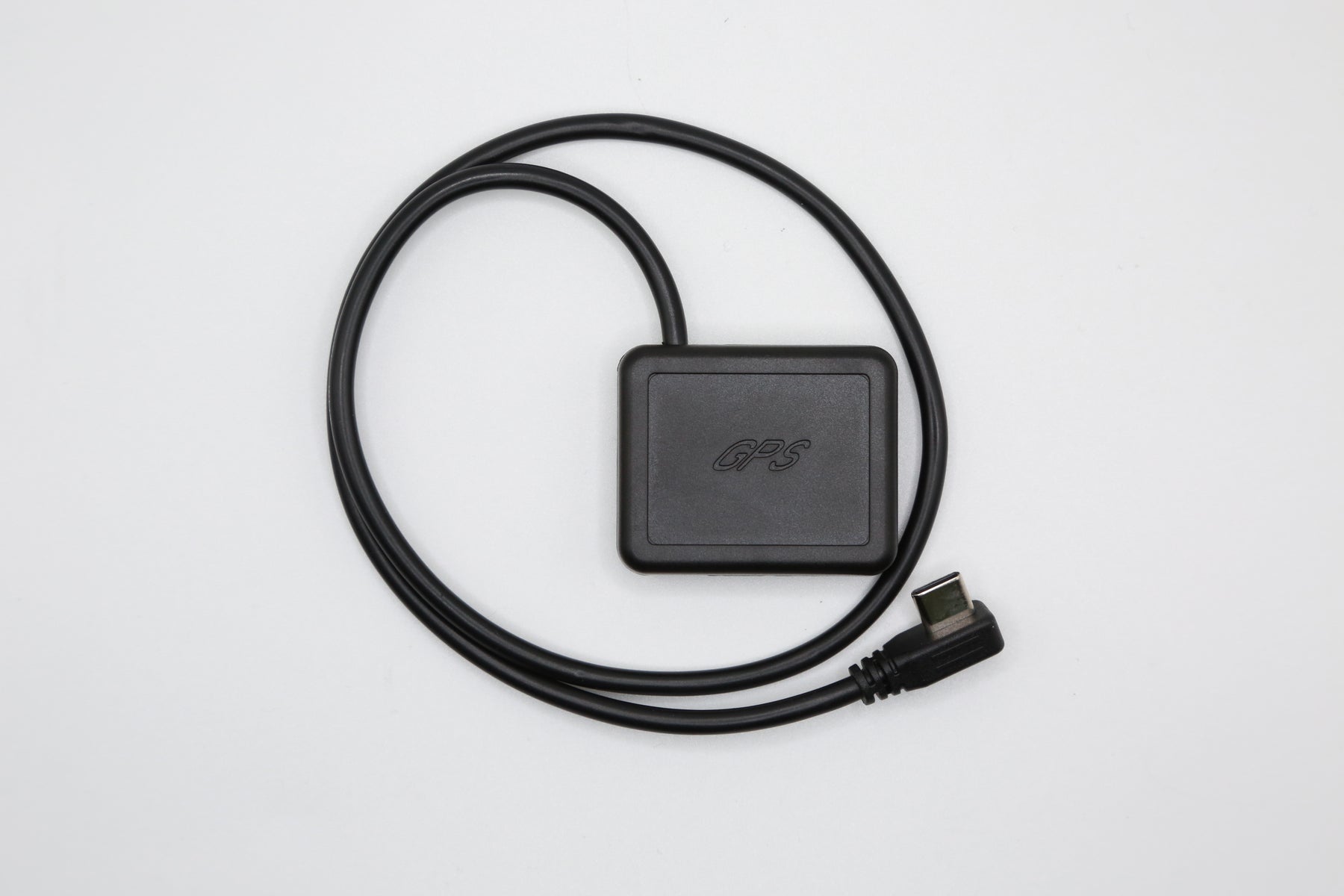
Rexing Type-C GPS Module — 9600 Baud

Rexing USA

Rexing Type-C Inline GPS Adapter

Sale price$19.99 Regular price$29.99
Save $10.00
  • GPS recording: Add location, speed and route information to recordings from a compatible Rexing dash cam after a GPS signal is acquired.
  • Compatible camera models: V1P FLEX X4, RH2-4, L4, L4-2K, C4 and C1 Plus. Match your exact camera model and version before ordering.
  • Three power options: Works with a compatible Type-C car charger, Type-C Smart Hardwire Kit or IHWK-360 Smart Hardwire Kit.
  • Simple inline connection: Plug your compatible power cable into the adapter’s Type-C input, then connect its attached cable to your dash cam’s power port. No re-wiring required.
  • Review GPS data: Use Rexing Connect with your compatible camera’s Wi-Fi, or open original GPS recordings on a computer with Rexing GPS Player. Available features depend on your camera and firmware.

Downloads: Rexing Connect for iOS / Android · GPS Player for Windows / Mac.

Find GPS accessories for other camera models →

Camera and power accessories are sold separately. A Type-C port alone does not establish compatibility. For cameras with built-in GPS, confirm whether an external adapter is needed. GPS playback requires footage recorded with GPS data.

Quantity:

TYPE-C INLINE GPS ADAPTER

Product information

Compatibility, setup and GPS playback for this accessory.

Compatible cameras

Check your model before ordering.

  • V1P FLEX X4
  • RH2-4
  • L4
  • L4-2K
  • C4
  • C1 Plus

Match the model name and version on your camera or packaging. A Type-C port alone does not establish compatibility. For cameras with built-in GPS, confirm whether an external adapter is needed.

Find GPS accessories for another model →

Accessory overview

This adapter connects between a compatible power cable and your dash cam. After a satellite signal is acquired, a compatible camera can record GPS location, speed and route information alongside its video.
Connection
Inline Type-C
Compatible power sources
Type-C car charger, Type-C Smart Hardwire Kit or IHWK-360 Smart Hardwire Kit
Installation
Plug-in connection; no re-wiring required
Type-C inline GPS adapter and attached cable
Type-C inline GPS adapter

How to connect

Compatible power cableGPS adapterDash cam power port
  1. Connect your compatible power cable to the adapter’s Type-C input.
  2. Connect the adapter’s attached cable to your dash cam’s power port.
  3. Check the camera’s GPS settings and allow it to acquire a satellite signal before recording.

The camera and power accessories are sold separately.

View GPS recordings

Phone and computer options.

Rexing Connect

Connect your phone to your compatible camera’s Wi-Fi to review recordings and available GPS information.

Available features depend on the camera model and firmware.

Rexing GPS Player

Copy the original files from your camera’s memory card to your computer, then open them in the compatible GPS Player.

Keep the original files and check your camera manual for player requirements.

All Rexing apps and software →

Usage notes

  • GPS playback requires footage recorded with GPS data. GPS information cannot be added to earlier recordings captured without it.
  • The GPS adapter connects to the camera, not directly to your phone.
  • Parking monitoring depends on the camera and its compatible power kit. This GPS adapter does not enable parking mode by itself.

Need help confirming compatibility? Contact Rexing support.