
RJ21.
Ready when
you need it.
Charge, jump-start or inflate. Find the instructions for your Rexing 2-in-1 jump starter and tire inflator.
Download user manual ↗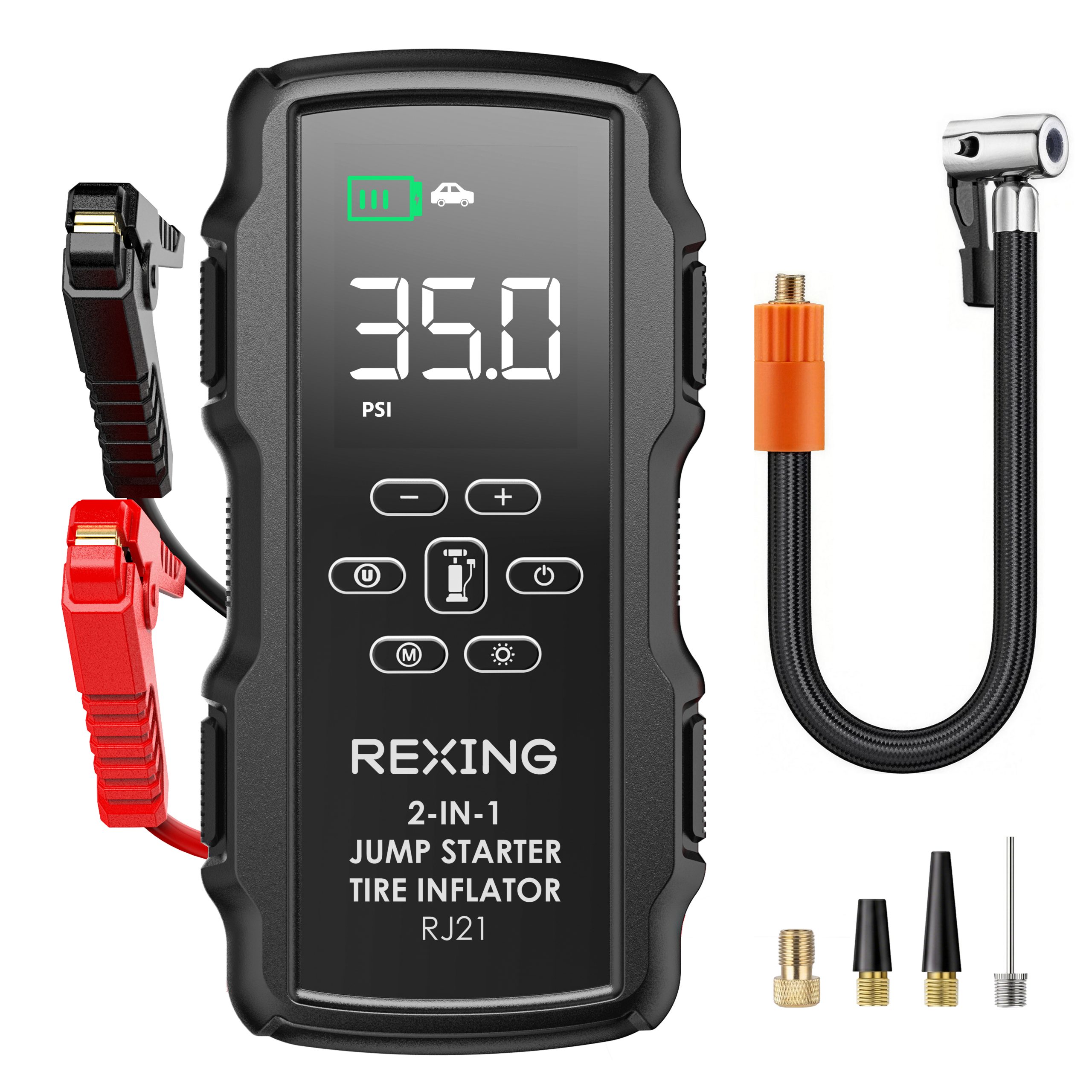
Start with a charged unit.
Charge before first use
Connect the supplied USB-C cable to a suitable power source. Press ON/OFF to view battery status. Disconnect when charging finishes.
Check the battery level
Use more than 50% charge before jump-starting. Recharge with the supplied USB-C cable and a suitable 5V/2A power source.
Match your version
Use this RJ21 guide for the 2-in-1 jump starter and tire inflator. Match your model label before following any instructions.
Check before connecting.
Use with 12V vehicles
Read the supplied safety guide and vehicle instructions. Insert the clamp plug into the EC5 port. Connect red to battery positive (+) and black to negative (−).
Follow the readiness indicator
Proceed only when the smart-clamp indicator stays green. Start within 30 seconds, then remove the jumper cable immediately after the vehicle starts. Never let the clamps touch.
Set the pressure. Stay nearby.
Connect the hose
Secure the air hose and the correct nozzle. Turn the unit on, then press the Air Pump button to enter inflation mode.
Choose mode and pressure
Select the relevant mode and unit, then use + / − to set the target. Use the tire or item manufacturer’s recommended pressure.
Start and monitor
Hold the Air Pump button for three seconds. It stops at the target pressure; a short press also stops inflation. Stay with the unit during use.
Understand the next step.
Why does the unit alarm?
A solid red clamp light can indicate reversed clamps or poor terminal contact. Disconnect and correct the connection. Do not attempt forced starting with a solid red indicator.
How should I store it?
Store in a cool, ventilated place away from children, water and fire. Recharge every three months. After starting a vehicle, wait at least 30 minutes before recharging the unit.
Help us identify your revision
Send the model label, display or warning code, purchase date and a description of what happened. This helps support find the correct instructions for your device.
Your manual. Your next step.
User manual
RJ21 2-in-1
User guide · PDF ↗
Warranty information
Review warranty and return information →
Find another model
Search all product support →
Still need a hand?
Contact Rexing with your RJ21 model and revision.